KEYWORDS: PPC Company benefits best conversion strategy Responsive Search Ads list of negative keywords How install conversion tags correctly Google Ads Account Optimization Checklist Google Partner Agency
The Ultimate Google Ads Account Checklist : Top 7 Attributes for 2026!
Running a Google Ads account can feel like trying to fly a plane while building it. There are so many buttons to push and screens to watch. If you don't have a plan, you can quickly waste a lot of money. To help you stay on track, we have put together a simple checklist.
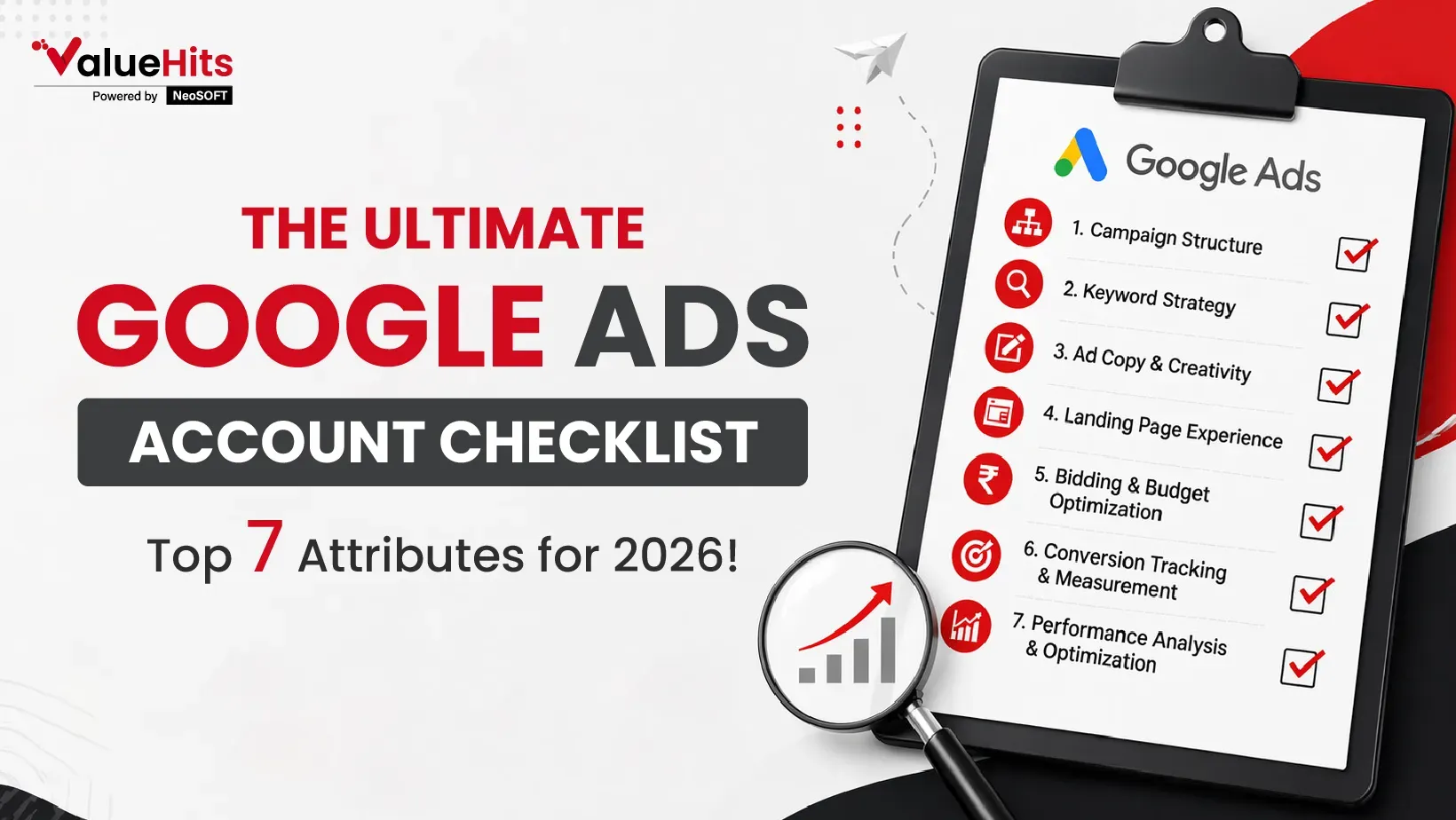
These are the top 7 things you need to check to ensure your ads are working for your business, not against it.
The Foundation: Account Setup and Conversion Tracking:
Before you spend a single dollar, you must know where your money is going. Many people turn on ads but forget to track if they actually lead to a sale or a lead. This is where your conversion strategy begins. It is important to introspect what exactly success looks like for your business? To make this work, you must install conversion tags correctly on your website. These are little bits of code that tell Google when someone has filled out a form or bought a product. Without these tags, you are flying blind. You won't know which ads are making you money and which ones are just costing you.
Campaign Structure and Network Selection:
A messy account is a failing account. You should break your campaigns into "buckets" that make sense. For example, if you sell shoes, don't put "running shoes" and "high heels" in the same group. You also need to check which networks you are using. Are your ads showing up on the Google Search page, or are they popping up on random websites and apps? Make sure your choices fit your business goals. If you want people to buy right now, the Search Network is usually your best bet.
Performance Analysis: Audiences and Bids:
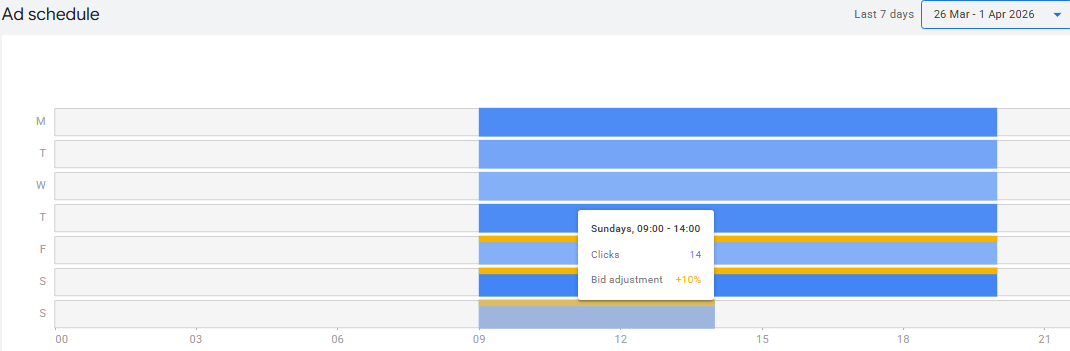
Once your ads have been running for a while, you need to see who is clicking them. Are you reaching the right people? Google gives you a lot of data on who your audience is. Look for easy wins, which include those groups of people who click and buy more than others. To maximize your budget, you should use ad scheduling and apply special bids on device/time/target group. For example, if you find that people mostly buy from their phones on Saturday mornings, you can tell Google to bid higher during that time. This ensures your ad shows up when your customers are most likely to take action.

The Search Terms Report and Negative Keywords:
This is one of the most important parts of your checklist. The Search Terms report shows you exactly what people typed into Google before they saw your ad. Sometimes, this report is messy. You might find that people searching for free shoes are clicking your ads for expensive boots. To stop this waste, you must use a huge list of negative keywords. These are words you tell Google to exclude from your campaign and focus on the terms that matter.
Ad Set Keywords and Ad Copy Relevance:
Every ad group should have a clear theme. Your ad set keywords need to match the words in your ad copy. If someone searches for "blue running shoes," your ad should say "Blue Running Shoes" right in the headline. Check your ads to make sure you have a good mix. Use "Responsive Search Ads" so Google can test different headlines for you. If one ad is doing much better than the others, figure out why and replicate that success in other groups.
Geography and Targeting:
Be sure whether the ads directed to your business are showing up in the right places? If you only ship to the United States, you shouldn't be paying for clicks from Europe. Check your "Geographic" settings. Also, look at how Google targets people. Gain clarity whether you are targeting people who live in your area, or just people who are interested in it? For a local business, like a pizza shop, you only want to reach people who are actually nearby.
Competitive Analysis and Landing Pages:
Lastly, do have a closer look at what your competitors are doing. Google's "Auction Insights" tool shows you who else is bidding on your keywords. Are they offering a better price? Is their website easier to use than yours? Your landing page, the page people see after they click is just as important as the ad. If your ad is great but your website is slow or confusing, people will leave. Always try to provide a better experience than the competition.
Conclusion
A successful Google Ads account isn't something you "set and forget." It needs regular check-ups to stay healthy. By following this checklist from setting up your conversion strategy to cleaning up your negative keywords, you can turn a messy account into a profit machine. Start with the "quick wins" and then dig into the details to keep your ROI trending in the right direction.
Also read: PPC Company Case Study- How we improved ecommerce ROAS by 102.15%
Take your business to new heights with ValueHits!
Are you getting a constant feeling that your Google Ads account is getting overwhelming? Our Google Partner team holds great expertise in turning underperforming campaigns around. Our team of experts will dive deep into your metrics for a professional audit of your account . We help you spend your budget smarter and get the leads you deserve. Contact ValueHits today to book your Affordable PPC Packages and get better returns tomorrow!
Citation Gap Strategy: Get Your Brand Cited in AI Search
October 21, 2026
Ten blue links were once the standard search result.
Multi-Location GEO Calendar: How to Build a Scalable AI Search Strategy
October 12, 2026
A multi-location GEO calendar is a content strategy that aids businesses in maxi
Facebook Ad Account Hacked? 5 Steps We Took to Take It Back
October 7, 2026
It was a slow Sunday evening when the alert landed.

Hardik Mody
Senior Manager - Digital Marketing atValueHits
Hardik Mody is a Senior Manager in Digital Marketing. He plans and coordinates the marketing activities of ValueHits, a full-service Digital Marketing Agency in Mumbai, India. With his experience and Expert knowledge in the field, he identifies potential customers and develops marketing campaigns. Also, he is efficient enough to meet the client’s requirements and well-organized in handling multiple tasks.